Know What's Left
On the Shelf.
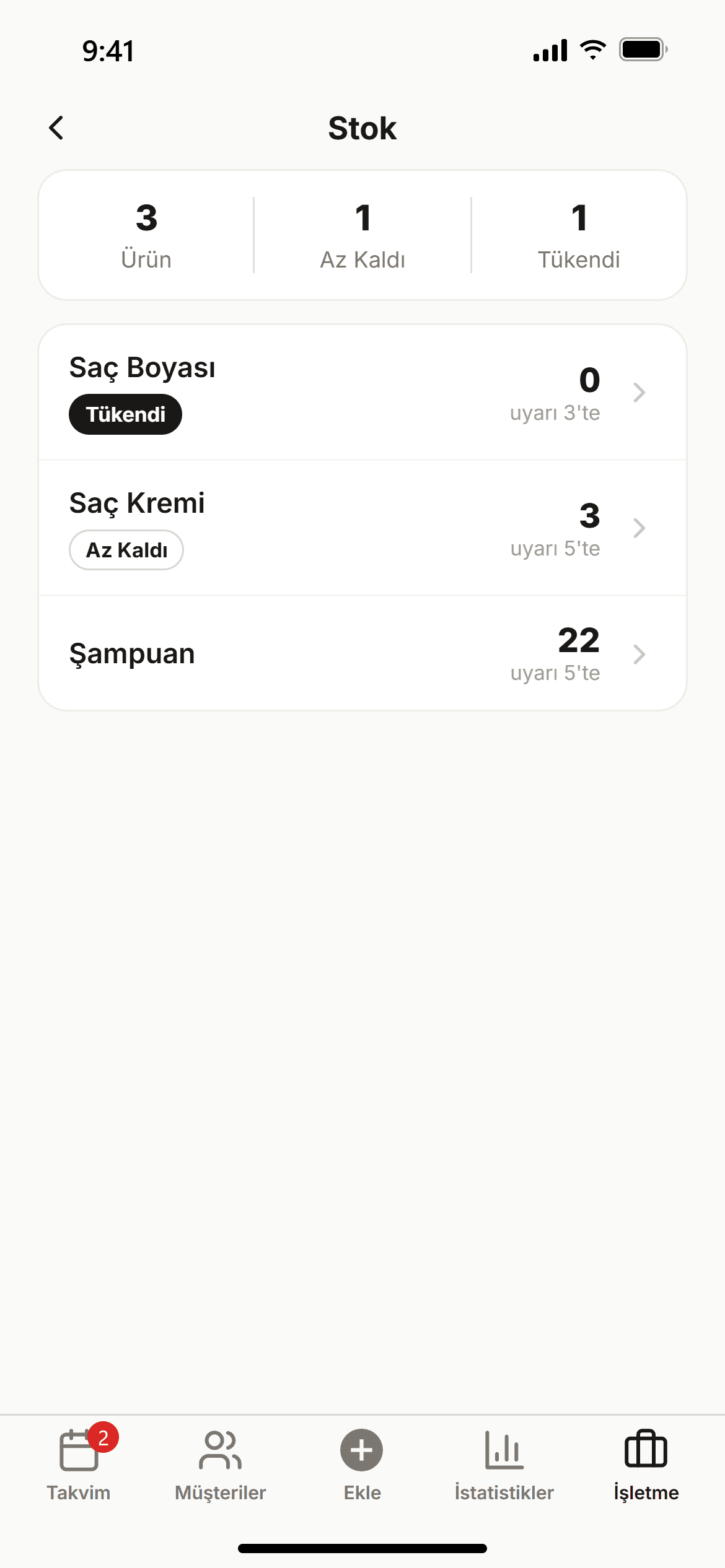
The shampoo shelf is empty and the client is right in front of you… Add your products, record stock in and out, and let low-stock items stand out in the list right away.

What You Can Do.
Changes you'll notice from the very first week, the kind that genuinely lighten your day.
Every Product in One List
See every product's current stock, sale price and status in a single list.
Stock In and Out
Record incoming products with "Add stock" and used or sold ones with "Remove stock"; every movement stays on record.
Critical Level Alerts
Set a lower limit for each product; when stock drops to it the product shows as "Critical", and as "Out of stock" when it runs out.
Summary at a Glance
Total, critical and out-of-stock counts sit at the top of the page, so you know right away when it's time to reorder.